![MD-logo-circle-alt-colour.png]](https://help.massdynamics.com/hs-fs/hubfs/MD-logo-circle-alt-colour.png?width=40&height=40&name=MD-logo-circle-alt-colour.png)
Steps to upload your transcritomics data using the MD Format
- Go to the Dataset Upload page
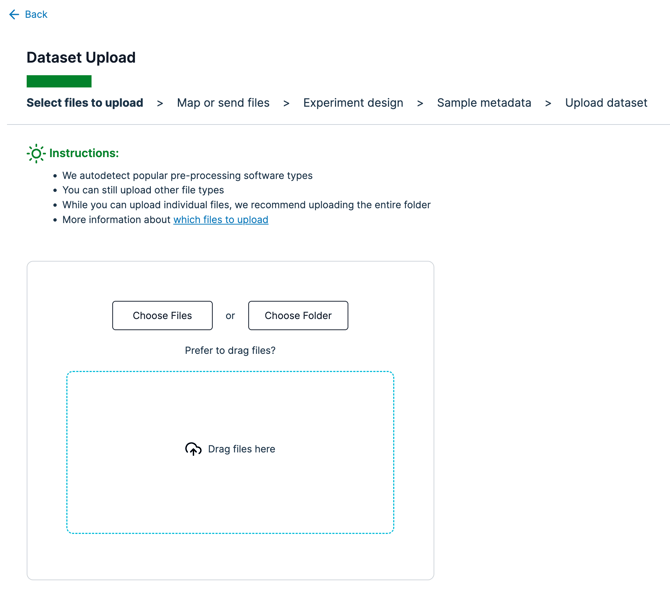
- Choose "Choose Files" or "Choose Folder" depending on how your files are stored
-
There is 1 file that is needed. You can find the MD Format example for gene expression data here. Do not be concerned with the name of the file, as we will detect the data in the files based on the column names. Please ensure that your file contains your data in the following structure and that the files are uploaded with the "tsv" or “csv” file extensions.
Example File: Gene_expression.csv
Column Name Notes GeneId (Primary key)
- Mandatory
- Ensemble stable ID i.e. `ENSG00000141510`
- Needs to be a unique identifier for the protein group and only one value per sample per protein group
GeneIdVersioned
- Optional
- Ensemble versioned stable ID if available
- i.e. `ENSG00000141510.17`
- Same as GeneId but with version
GeneExpression
- Mandatory
- RNA-Seq integer counts
- i.e. `1000`
GeneNames
- Optional - Strongly recommended
- i.e. `NBPF10;NBPF19;NBPF20`
- Multiple names separated by `;`
Description
- Optional
- i.e. `Neuroblastoma breakpoint family member 19;Neuroblastoma breakpoint family member 20`
- Multiple descriptions separated by `;`
SampleName
- Mandatory
- i.e. `sample1`
- Name of the sample (can be the filename)
- Has to be a string
- Only one value per sample
GeneBiotype
- Optional
- Gene biotype classification
- i.e. `protein_coding` or `lnc_RNA`
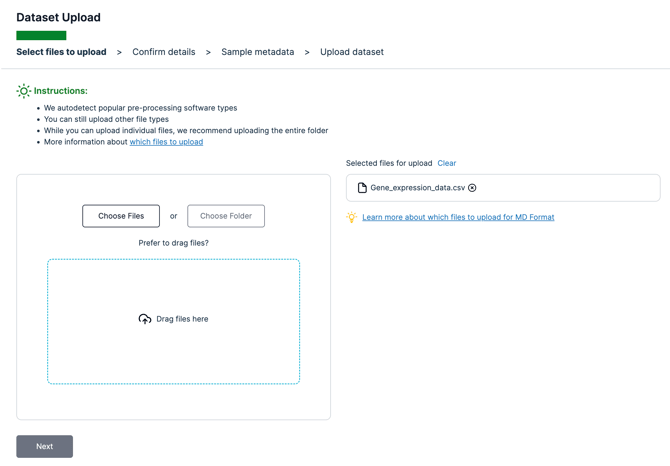
- After choosing the relevant files to upload for your file system, click "Next"
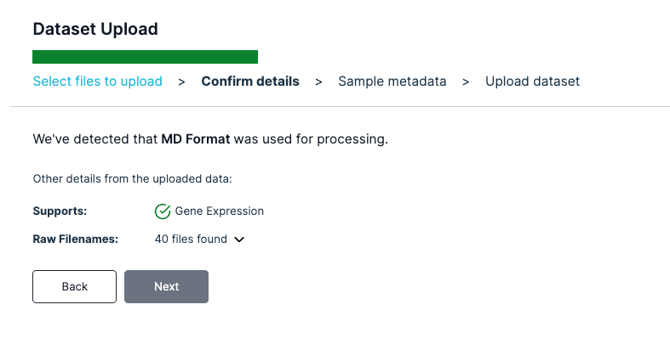
- Mass Dynamics should now detect that it is the MD Format that you are using, and will detect the number of files found.
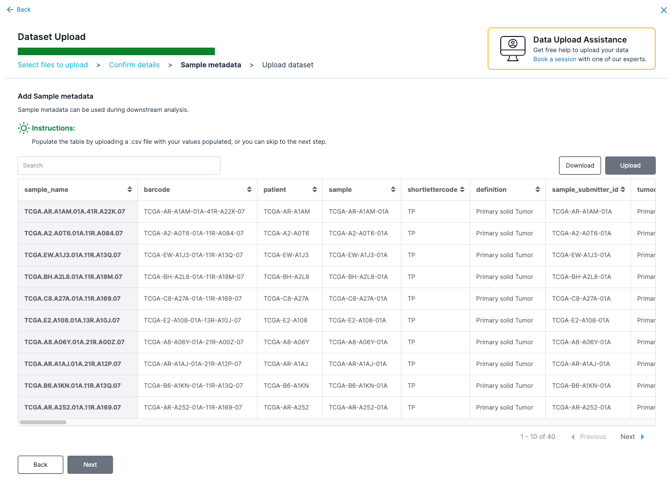
- You can now upload your own populated sample metadata csv file or simply click next and upload sample metadata later on.
- Go ahead and enter your Experiment Name and Experiment Description
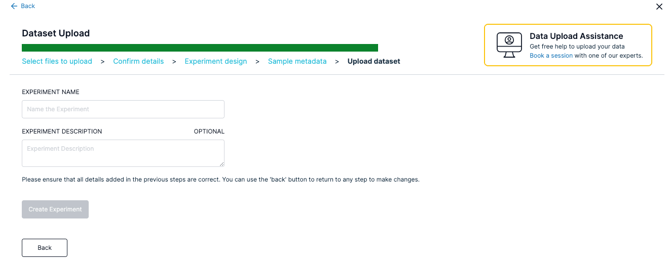
- Click "Create Experiment" and wait until your files upload
- Get started with analyzing your data!